ArcadeOn Pixel
A downloadable tool for Windows
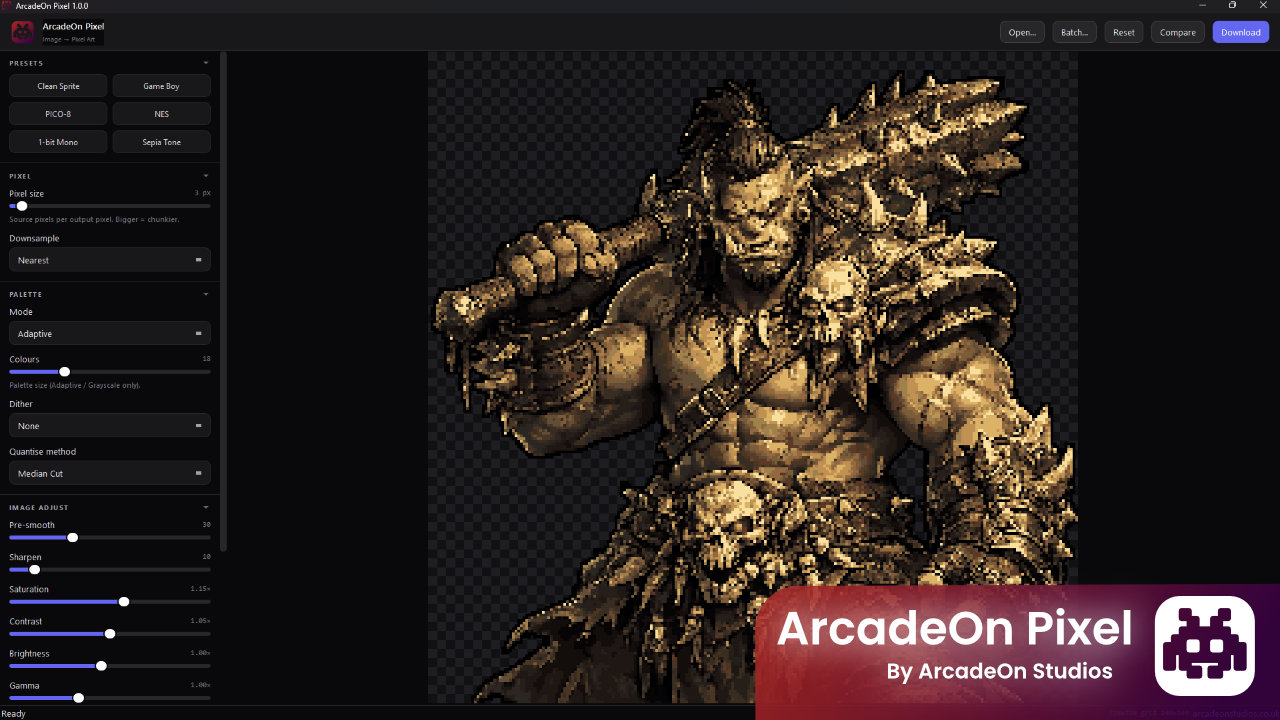
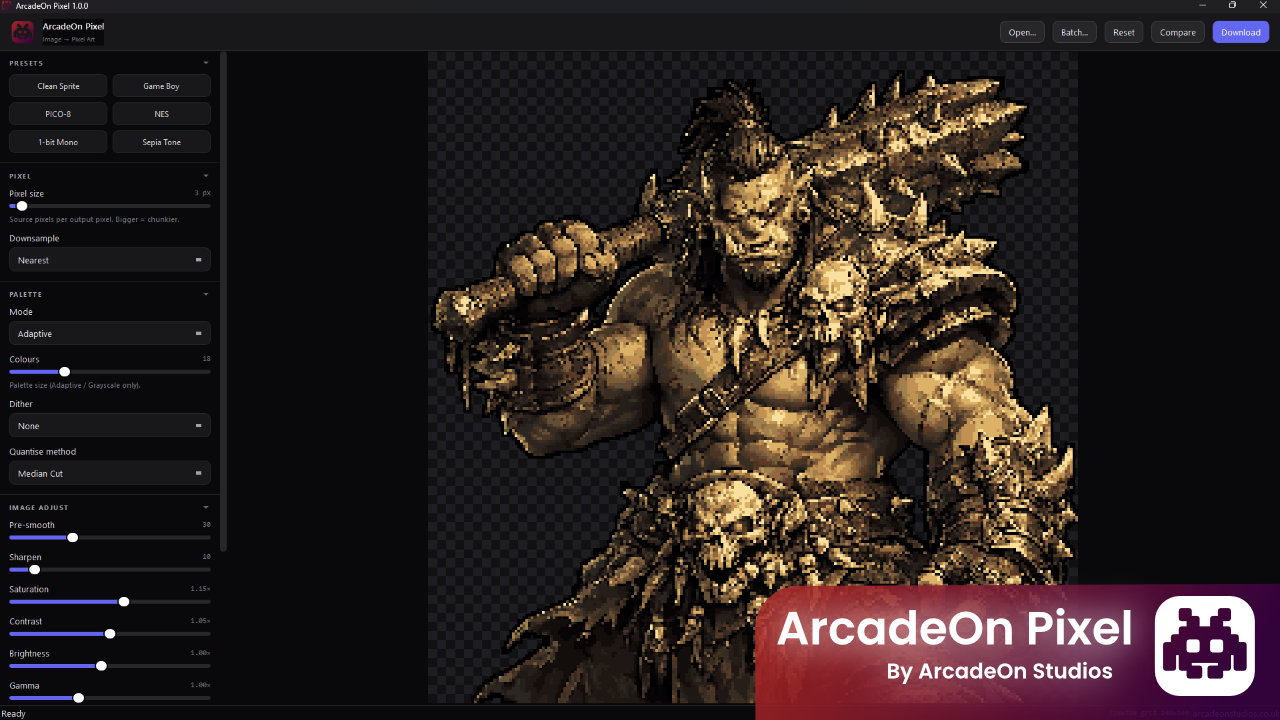
ArcadeOn Pixel gives you full control over the pixel art look without the fiddly Photoshop setup. Open an image, pick a preset — Clean Sprite, Game Boy, NES, PICO-8, 1-bit Mono, Sepia Tone — and tweak every knob live: pixel size, palette, dither, outline, colour balance. The preview updates as fast as you can drag a slider.
Transparency is preserved end-to-end, so sprites stay sprites. Outlines grow outside the silhouette, never cutting into your subject. When you've nailed a look, batch-process an entire folder with one click and every image comes out with the same treatment.
Everything runs locally on your machine — no cloud, no accounts, no uploads. Your source files never leave your PC.
Built for indie game developers, pixel artists, content creators and anyone who needs retro-styled graphics at scale.
Key features
Retro palettes, properly done
- 10 built-in palettes: Game Boy, Game Boy Pocket, PICO-8, NES (32-color), CGA, Monochrome, Sepia, Teletext
- Adaptive and Grayscale modes with 2–64 colours
- Three quantisation algorithms: Median Cut, Max Coverage, Fast Octree
Fine-grained control
- Pixel size 2–32 px with four downsample algorithms (Area Average, Lanczos, Bilinear, Nearest)
- Dither styles: None, Floyd-Steinberg, Bayer 4×4, Bayer 8×8
- Image adjustments: pre-smoothing, sharpen, saturation, contrast, brightness, gamma, hue shift
- Alpha threshold and configurable outer outline (never cuts into the image)
Live workflow
- Instant debounced preview — tweak sliders and watch the result update
- Zoom and pan with Ctrl+wheel and drag
- Hold Space (or the Compare button) to flash the original behind the pixel art
- Six one-click presets as starting points
- Double-click any slider to reset to its default
Batch mode
- Point it at a folder and pixelate every supported image with the current settings
- Live progress, cancel anytime, per-file error report
- Outputs to a clean
pixelated/subfolder
Export that fits your pipeline
- PNG output with transparency preserved
- 1×, 2× or 4× export scaling
- Raw 1:1 pixel grid option for tile-accurate output
Built for desktop
- Native Windows app — no browser, no server, no cloud
- Code-signed executable (ArcadeOn Studios)
- Remembers your last window size and settings between sessions
- Drag and drop anywhere on the window
- Keyboard shortcuts throughout (Ctrl+O / Ctrl+S / Ctrl+R)
Supported formats Input: PNG · JPG · WebP · BMP · TIFF Output: PNG (with alpha)
System requirements Windows 10 or 11 · ~150 MB disk · No internet connection required
Purchase
In order to download this tool you must purchase it at or above the minimum price of £6.64 GBP. You will get access to the following files:
Leave a comment
Log in with itch.io to leave a comment.